Challenge 1: The Cloud
- Describe how deployment was managed before The Cloud
- Explain what the Cloud is and what problem it solves
- Describe the process of deploying software to the cloud at a high level
- Use a computer as a public web server
- Debug issues with cloud infrastructure
- Describe the role of ports in networking
Overview
When people talk about The Cloud, what they essentially mean is servers that are accessible over the internet. Most of these servers are physically located in giant data centres all around the world.
That's pretty much it, servers on the internet. That was easy.
Dedicated Servers
In those early days, for organisations with lots of data to share (e.g. universities, research labs, corporations) serving all the requests quickly was hard. Computers were slow and if you had lots of incoming requests simultaneously, the computer would overheat and users would have to wait, and wait, and wait.
It became common to buy a dedicated computer specifically for the purpose of serving requests. You'd get the most powerful computer you could afford, with lots of extra RAM. You'd never turn it off, obviously, you'd put it in a locked cabinet so nobody would accidentally unplug it. Serious organisations would have a backup battery or generator in case the power went out, or even a special air-conditioned case. It was a computer who's sole job was to serve requests.
And it became known as the server.
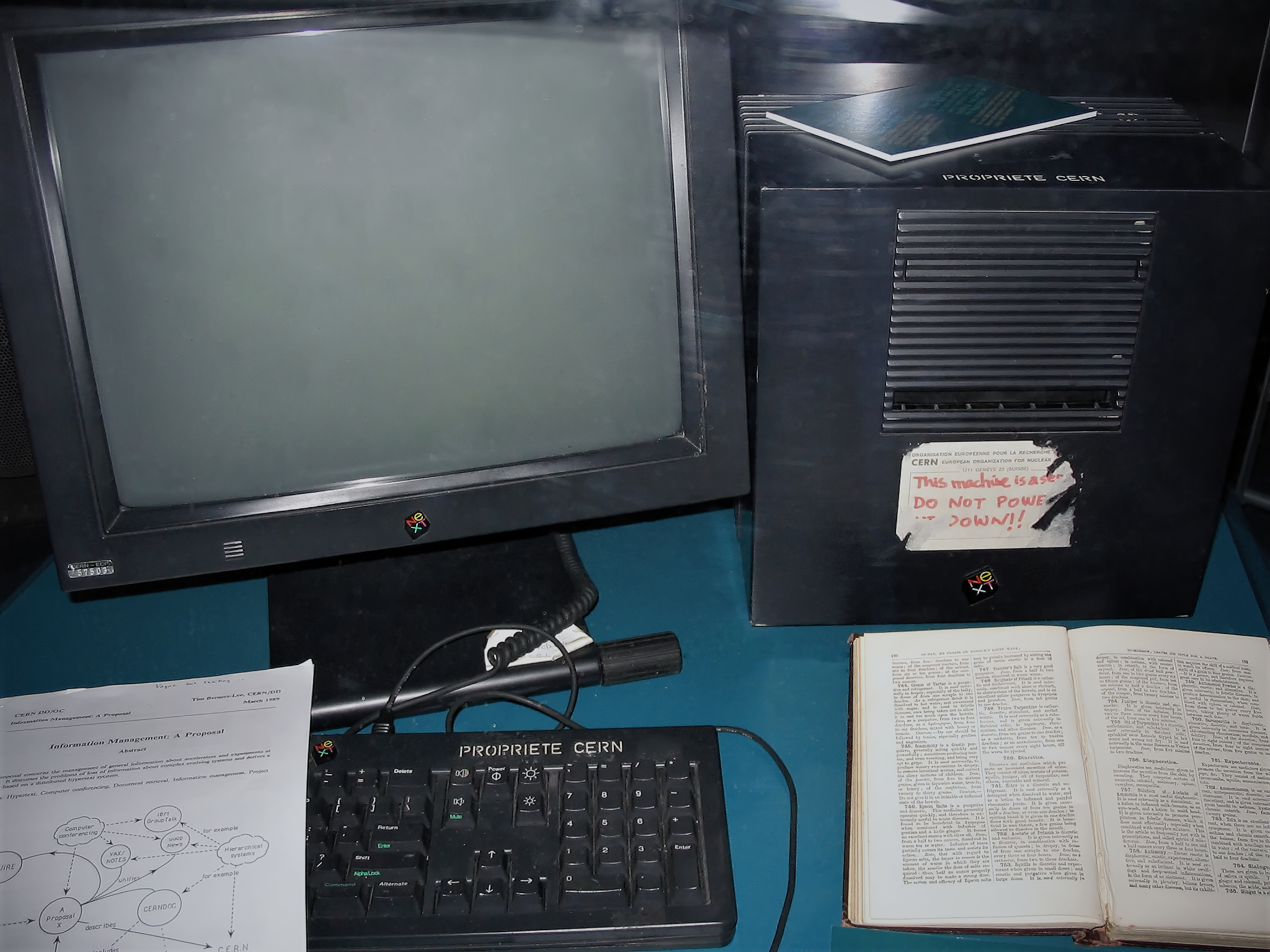
- Handwritten label reads "This machine is a server, DO NOT POWER IT DOWN!!"
The rise of Datacenters
Datacenters are giant rooms full of servers available for rent. You can rent one out at the press of a button and only pay for the exact amount of computing time you use. Just because it's not on the desk in front of you, it's no less of a computer. You can do pretty much anything on it, you can use it to run your software, mine bitcoin on the blockchain, download Minecraft and punch some trees if you're feeling particularly nostalgic. It's just a computer that you control remotely.
The term centralisation is often used to describe the transition toward a world of centrally owned and managed data centres.
But why make this move?
It's cheaper
If you have your server on-premises and you get a big spike of users that you simply don't have the computing power to handle, what do you do? Buy another server? Sure, but when the spike disappears you're left with a spare machine laying around, gathering dust, waiting for the next spike. Cloud providers will let you add or remove computing power on a whim, and you'll only pay for what you use. It's a fraction of the cost of maintaining your own network of servers.
It's faster
If data is closer to the user it takes less time to reach them. There is an entire field of computer science called 'edge computing' which focuses on getting servers and data as close to the user as possible. Ask any gamer, the closer the two players, the lower the lag. The internet's most popular websites are cached in all of the datacenters so every user gets sent the closest version to them physically. When you visit google.com from London, your request isn't travelling down the underwater cable to Silicon Valley and back every single time. It's probably just going to a datacenter on the industrial estate in Didcot.

- AWS datacenter in Dublin, Ireland
Interacting with The Cloud
How easy is it to get yourself a little bit of real estate on The Cloud and make use of it? Do you drive over to a datacenter with a USB thumb-drive and ask the guard if you can upload your website? You're very welcome to try. For engineers there are three main ways to think about interacting with the cloud.
Infrastructure as a Service (IaaS)
Cloud infrastructure means using a major cloud provider directly. The big three are AWS, Google Cloud and Microsoft Azure. These are companies who own and manage datacenters and will sell you direct access to them. You can't physically walk up with a thumb-drive but you can remotely connect from your web browser. A single click on aws.com and you'll have admin access to a server to use as you please.
AWS calls these computers 'EC2 instances' and they are actually virtual computers rather than physical computers. We don't need to worry about the distinction for now.
Platform as a Service (PaaS)
In more recent years, platforms have come along which add an extra layer of extra functionality on top. These platforms have names like Heroku, Netlify, Vercel, Google App Engine and their goal is to make it easy for developers to develop on the cloud. They usually automate the deployment and configuration of various tasks and reduce the amount of code you need to write to get up and running.
Also it's worth keeping in mind that, under the hood, PaaS tools will often be using an IaaS tool (e.g. AWS). They are just abstracting away the complexity of interacting with the cloud and making it easier for developers to get started.
Software as a Service (SaaS)
The final layer of abstraction is known as Software as a Service. This usually refers to a single app that uses cloud functionality to provide some benefit to users or developers. If a developer wants to store their users' data in the cloud, they can decide to either set up an entire AWS environment or just upload the files to Dropbox using the Dropbox API and 2 lines of code. Dropbox uses AWS under the hood so users get all the benefits of cloud with minimal dev effort. Users never need to even know that the Dropbox layer is involved. SaaS products exist for all sorts of developer tasks from handling user authentication to generating images from text and they all expose the cloud to us in some easy-to-consume but specific way.
Recap
To recap this section, watch the below video and ask any remaining questions you have on Slack
What's next?
We've started using the cloud, but so far only in quite a piecemeal way. Next, we'll look at AWS - the largest cloud provider - and how the whole ecosystem fits together.